How to Add Money to a PEX Card
This guide provides step-by-step instructions for funding a team member's PEX card.
Prerequisites
Before beginning this procedure, verify that there is enough money in the PEX Account.
Procedure
-
Login and Navigate to Cards Section
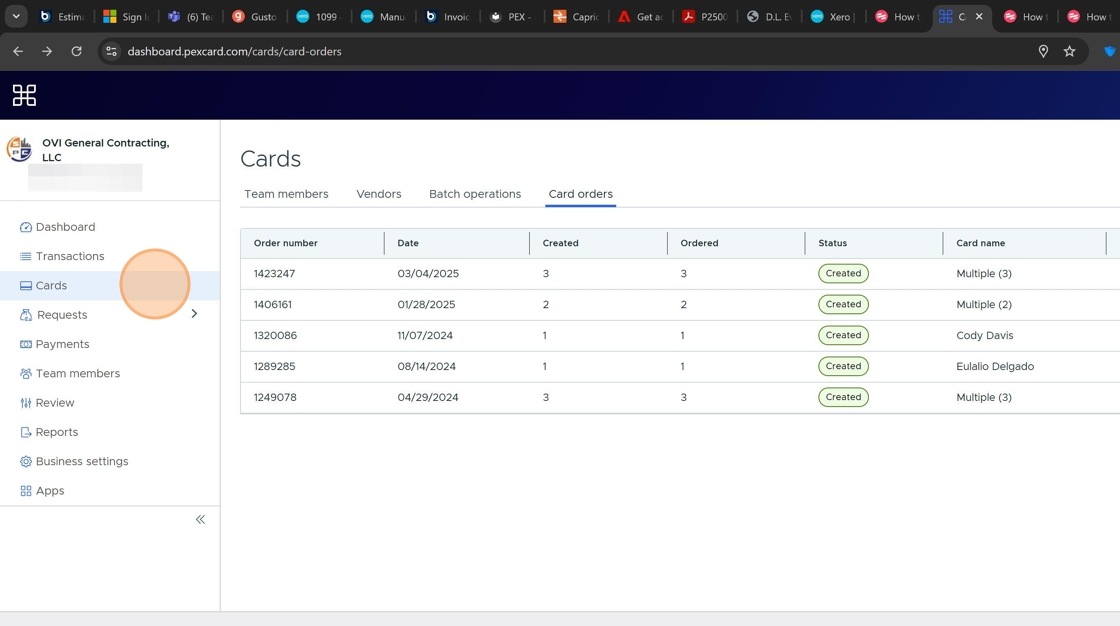
Begin by logging into your PEX account and clicking on the "Cards" option in the navigation menu.
-
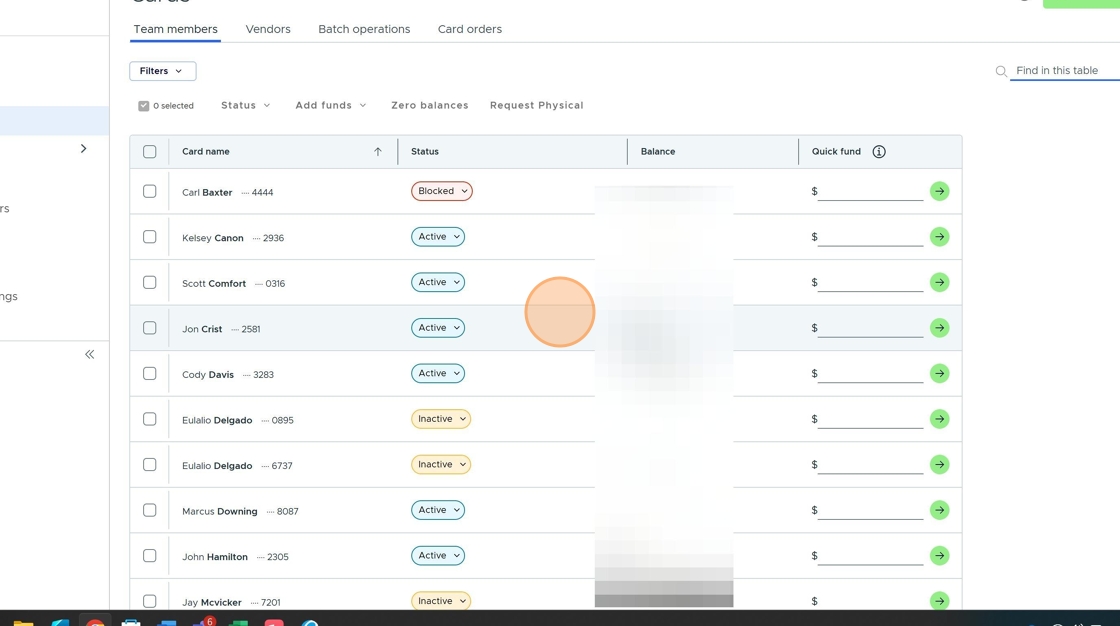
Locate Team Member's Card
Find the specific team member's card that needs to be funded from the list of available cards.
-
Enter Funding Amount
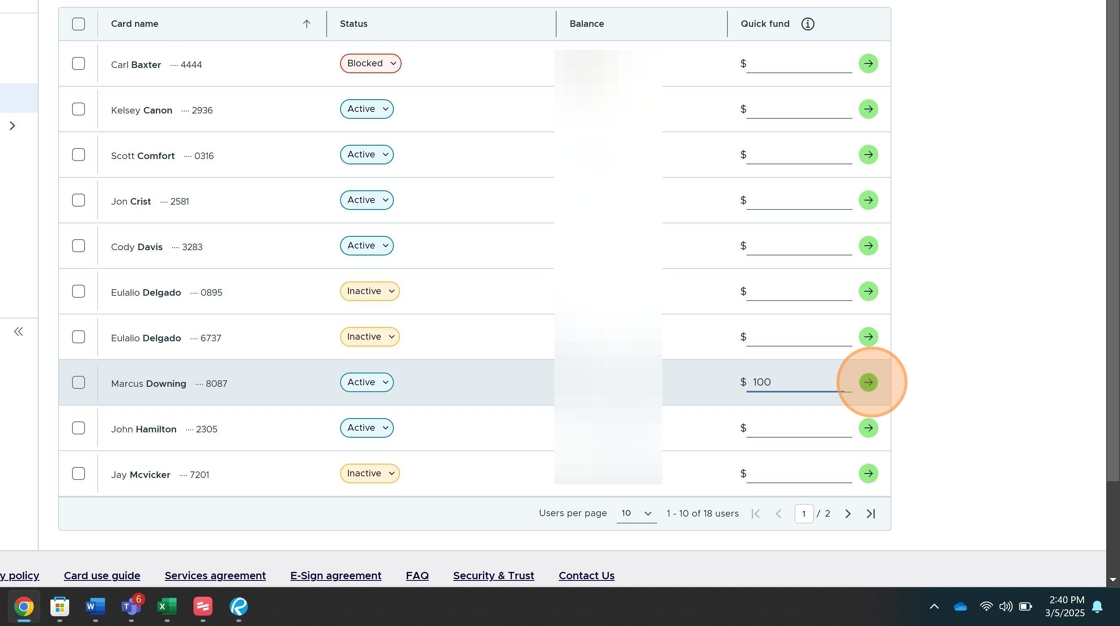
Click in the designated field to enter the specific amount you want to add to the team member's card.

-
Complete Funding Process
Click the appropriate button to add the funds to the card. The money will be automatically transferred to the card.
Checklist
- Verify PEX account has sufficient funds
- Login to PEX account
- Navigate to Cards section
- Locate team member's card
- Enter appropriate funding amount
- Complete funding process
Once all steps are complete, the team member's card has been successfully funded and is ready for use.