Certificate of Insurance (COI)
Introduction
This procedure details the process for procuring Certificates of Insurance (COI) for OVI General Contracting. The procedure applies when OVI operates as either a General Contractor or as a subcontractor.
Procedure
When Operating as a General Contractor
-
Locate Insurance Requirements
Find the owner contract and identify the section that specifies insurance requirements.
-
Document Requirements
Take a screenshot of the insurance requirements section from the contract.
-
Request Certificate from Insurance Representative
Email the screenshot to the designated company insurance representative.
The current representative is Sam Mahr at Sam.Mahr@MarshMMA.com from Marsh McLennan Agency. Sam is our point of contact for all forms of construction and auto insurance, including:
- Builders Risk
- Umbrella Policy
- General Liability
- Workman's Compensation
- Auto Insurance
-
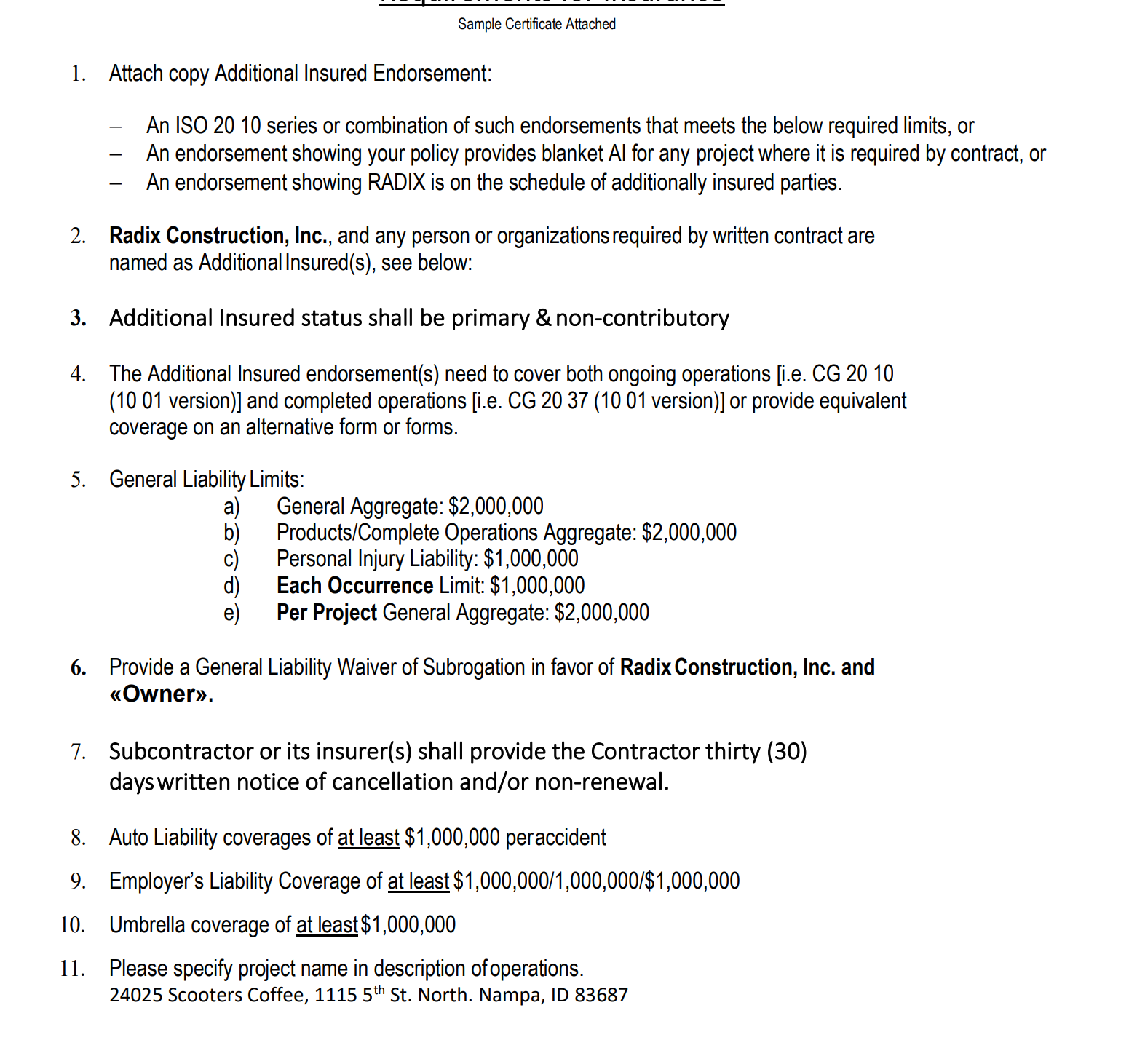
Example Request
Below is an example of an insurance requirements screenshot sent to our insurance representative:
-
Provide to Client
Once received from the insurance representative, provide the completed COI package to the owner. The insurance will list the owner as additionally insured on the certificate.
When Operating as a Subcontractor
When OVI is working as a subcontractor, the Certificate of Insurance will show both the General Contractor and the owner as additionally insured.
Follow the same basic procedure as above, but ensure both the GC and owner are listed as additionally insured.
Template Files Location
Our template files are located in OneDrive in:
Docbase > 02. Admin > COI & W9
Additional Information
The General Contractor license is sometimes requested along with the Certificate of Insurance. Be prepared to provide this documentation if required.
Procedure Workflow
Checklist
- Locate insurance requirements in contract
- Take screenshot of requirements section
- Email screenshot to insurance representative
- Verify all required coverage is included in the COI
- Confirm appropriate parties are listed as additionally insured
- Provide completed COI package to client/GC
- Store copy of COI in project files